
How it works
Six steps,
then a document.
A run is a bounded sequence. Each step ends with an application, a reason to skip, or a line in the report. You can watch all of it in the run monitor.
The run, step by step
01
It searches where you search
Shofona uses LinkedIn’s own job search with the market, titles and filters you saved. There is no scraped database behind it, so a job in the queue is a job you could have found yourself.
search results, filtered to Easy Apply
02
It drops what you would skip
Jobs already in your history, postings that send you off LinkedIn, and titles on your reject list are removed before a browser window opens. What you see in the queue is what the run will attempt.
a queue of Easy Apply jobs only
03
It reads the form like a person
Each field is matched by its visible label, its aria attributes and its placeholder. That takes longer to build than hard-coded selectors and survives LinkedIn’s form changes far better.
every field filled, or deliberately left empty
04
It answers from your rules first
Your saved answers cover notice period, salary, authorisation, relocation and the rest. If you add an OpenRouter key, a model handles what is left inside a spending cap. Anything still uncertain stays blank and is listed in the report.
answers you can defend in an interview
05
It stops at the limit, not after it
25 applications a day by default and 80 at most. Pauses run 12 to 22 seconds. If LinkedIn shows a quota message, the run ends then and there and is not retried that day.
a run that ends quietly
06
It writes the report
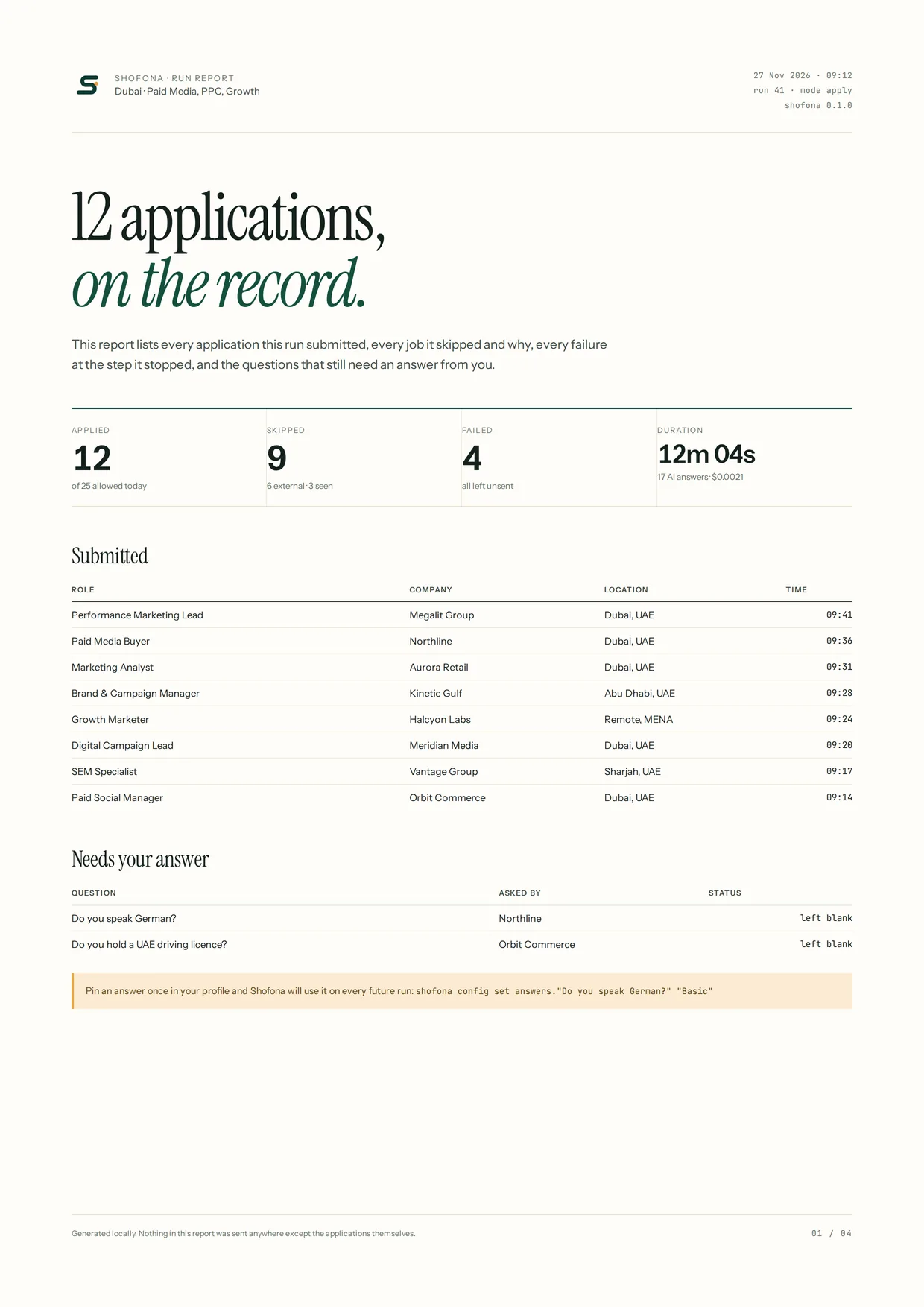
At the end of the run you get a DOCX, plus Markdown, JSON and CSV if you want them. It lists what was submitted with links, what was skipped and why, where a failure happened and every question left open.
a document you can keep
What happens when it stops
Three endings, and each one is written down.
LinkedIn signals a quota
The run stops at that step and the day is marked capped. Shofona does not retry with a new session, a different fingerprint or a second account.
A question has no answer
The field is left blank, the application is recorded as submitted with an open question, and the report quotes the question so you can answer it next time.
A form fails
The run notes which stage failed, whether open, fill or submit, and moves on. Nothing is submitted twice. The job is marked failed with the reason.
The handoff
You get the run,
not a dashboard.
The report opens in Word. A cover page with the run counts, a table of every submission with its link, a section for skipped jobs with the reason, and a closing list of questions that need your answer.
Free · Windows 10/11 · v0.1.0
See the report before you run it.
73 MB installerSHA-256 publishedNo accountMIT licence
